


Find what's wrong with your AI — and fix it.
The AI Decision Engine for improving production systems. Automatically surface plain-English insights, detect critical paths, and optimize costs for your AI agents and chains.


Install in 2 lines of code
Popular Guides
Learn the workflows teams actually use in Trackly
Practical articles on token tracking, model comparison, traces, agents, and production LLM cost visibility.
Detect every
critical path
Surface what's wrong with your AI instantly. Trackly automatically detects critical paths, highlighting the slowest, most expensive, and failure steps in every agent run — so you can fix them.
Live Critical Path
Automatically highlight the slowest and most expensive steps in every run.
Step-By-Step Analysis
Reconstruct every agent decision and model call into a logical, actionable map.
Auto Insights Engine
Surface plain-English findings on why a specific run was sub-optimal.
Everything you need to fix
your AI systems
From zero-config provider detection to per-user cost attribution — Trackly gives you complete visibility without changing how you write code.
Auto Insights Engine
Stop reading dashboards. Trackly automatically surfaces plain-English findings from every run: "Cost spike caused by GPT-4 overuse in step 3" or "Latency bottleneck detected in the tool-calling loop."
Detected automatically
Critical Path Detection
Automatically highlight the slowest, most expensive, and failure points. Visually tagged as the 🔥 Critical Path so you know exactly where to look.
Cost Intelligence
Move beyond tracking. Get model efficiency suggestions: "Switch to GPT-4o-mini to save 68% cost."
▲ P95 · gpt-4o · last 24h
P50
198ms
P95
312ms
Run Comparison
Side-by-side diffs of cost, latency, and steps taken.
Live model pricing
Cost computed at ingest. Historical events stay accurate when providers change rates.
Smart Alerts
Every alert carries an interpreted reason for the spike.
summarizer hit $20 limit
3× usage in last hour
Daily usage trends
30-day rolling view. Spot spikes, monitor growth, export to CSV.
4.8M
+23% vs last month
Activate the decision engine in 6 simple steps
From sign-in to your first automated AI insight — here's everything you need to get up and running with the Trackly Decision Engine.
Sign in & view your Dashboard
Sign in & view your Dashboard
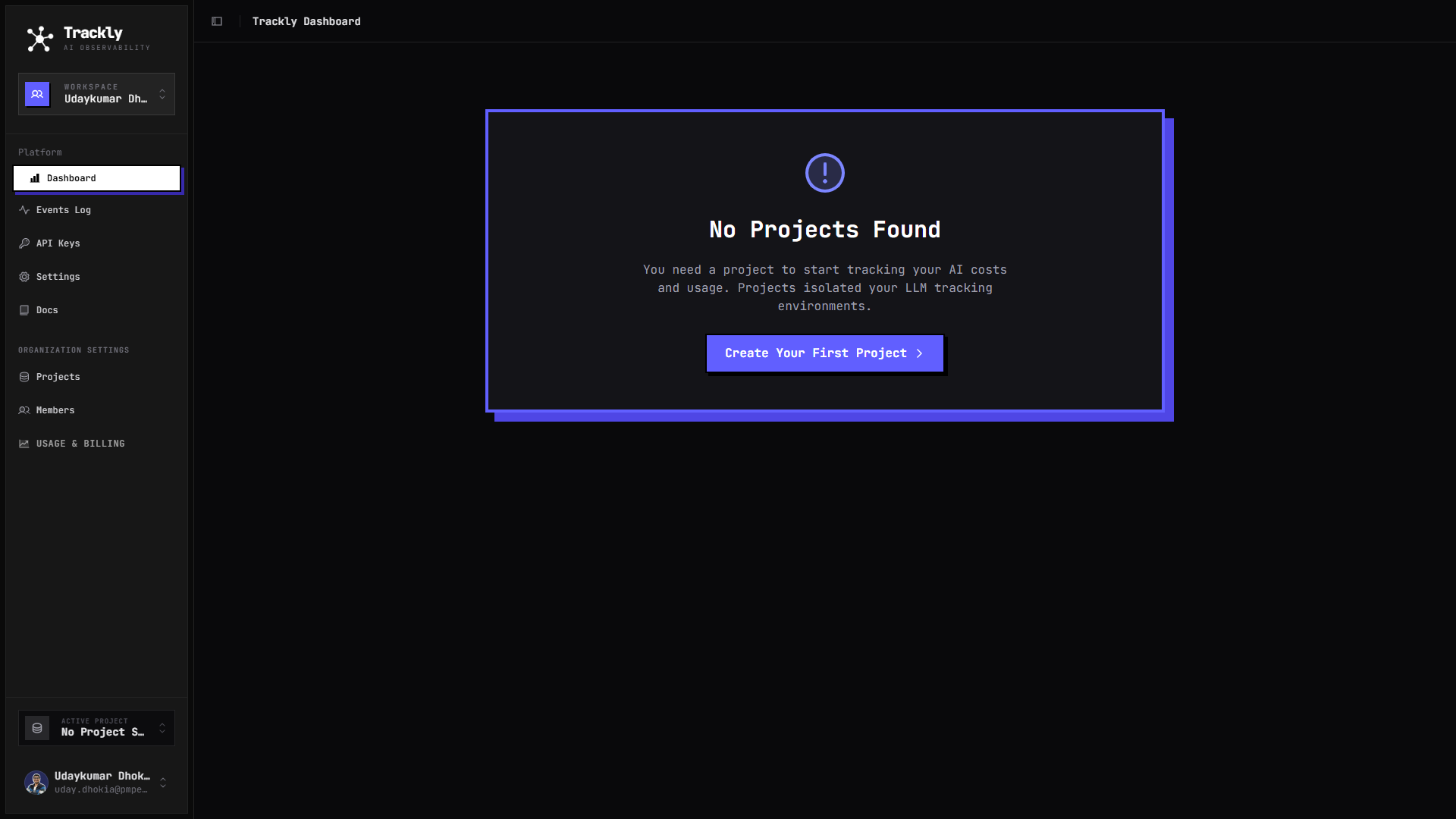
After signing in, you land on the Trackly Dashboard. If you don't have any projects yet, you'll be prompted to create your first one.
Navigate to Projects
Navigate to Projects
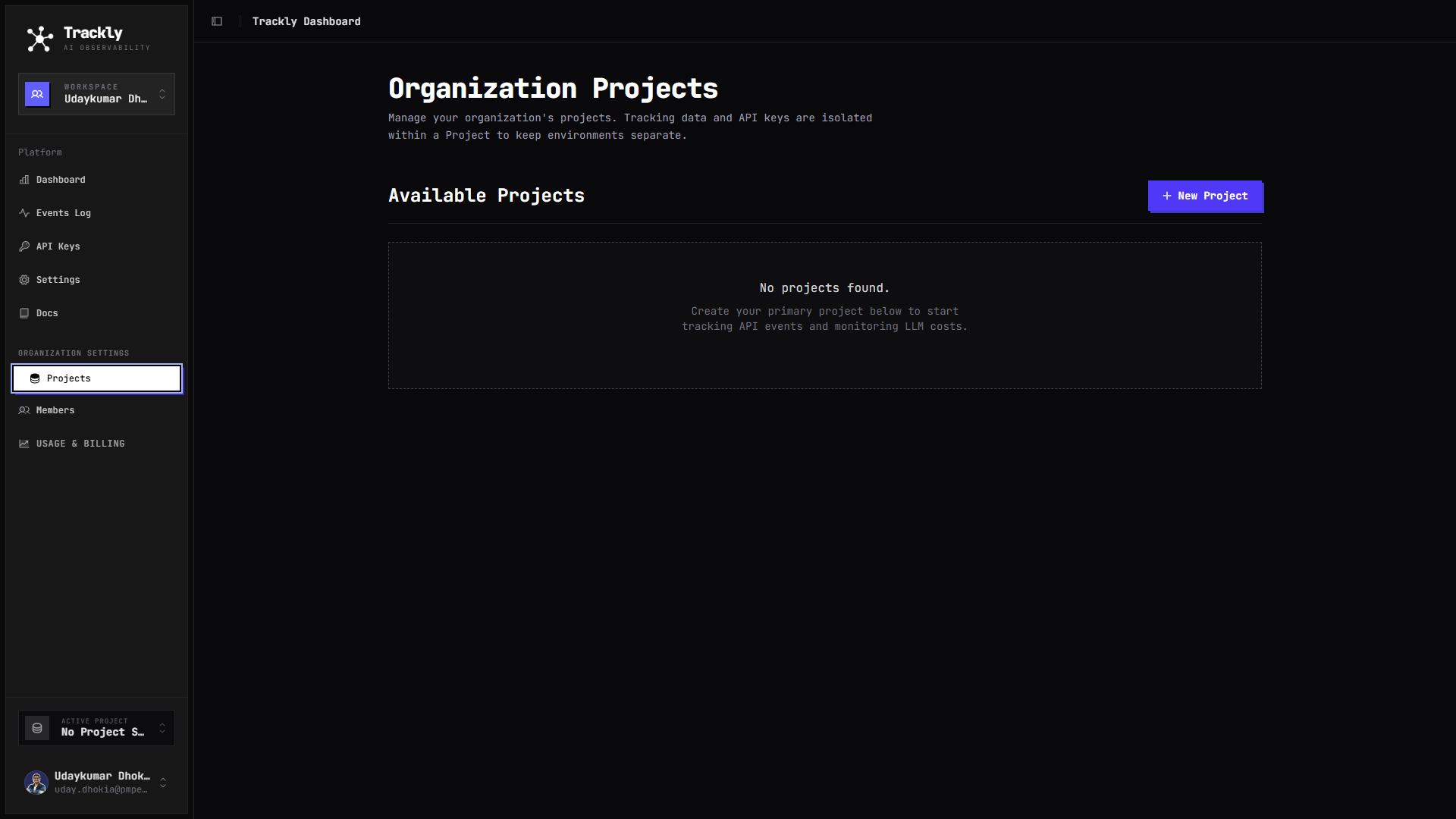
Head to Organization Settings → Projects to see all your tracking environments. Each project isolates its data and API keys.
Create a new Project
Create a new Project
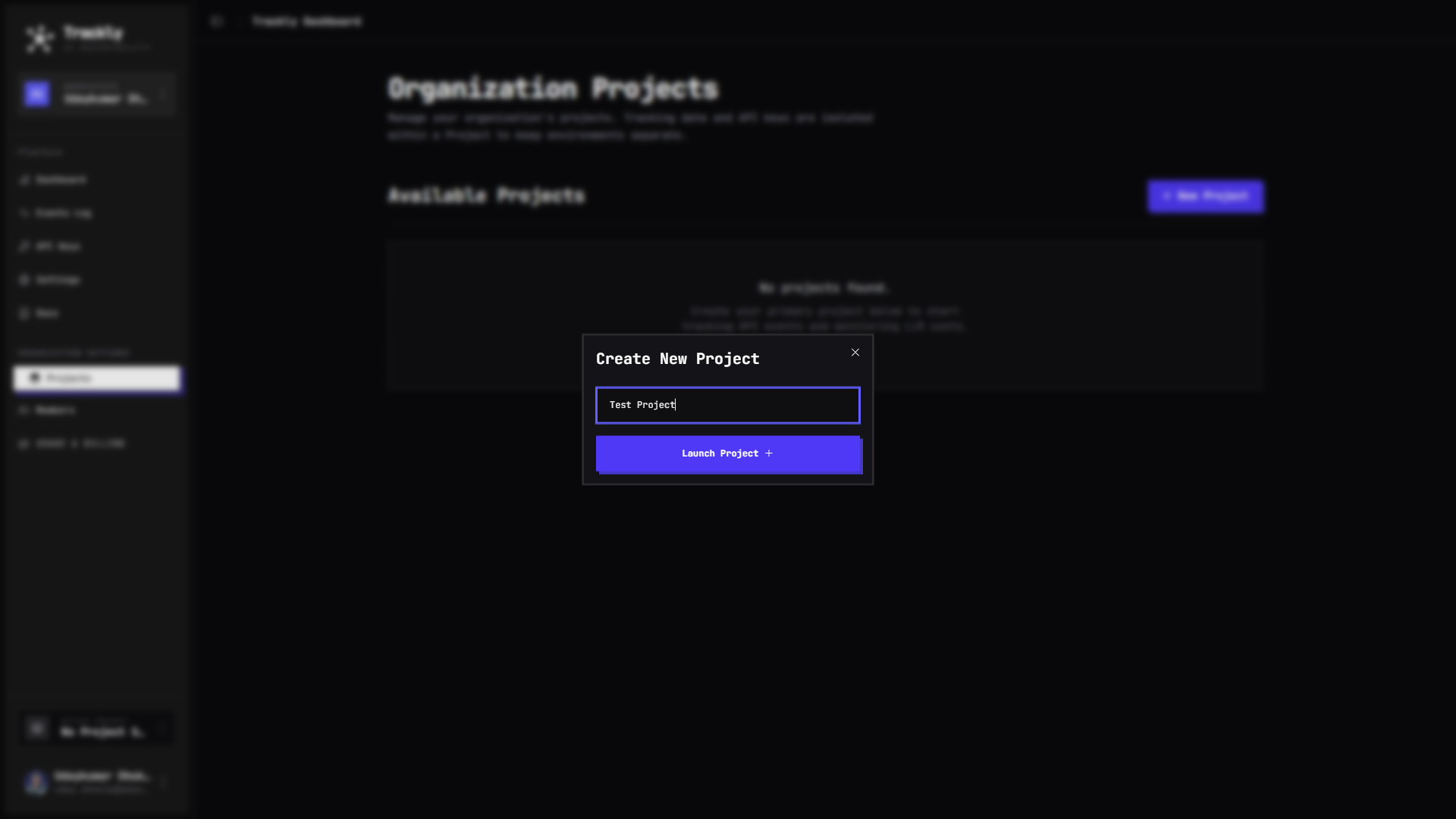
Click "+ New Project", give it a name (e.g. "My App"), and hit Launch Project. Projects keep your tracking data cleanly separated.
Go to API Keys
Go to API Keys
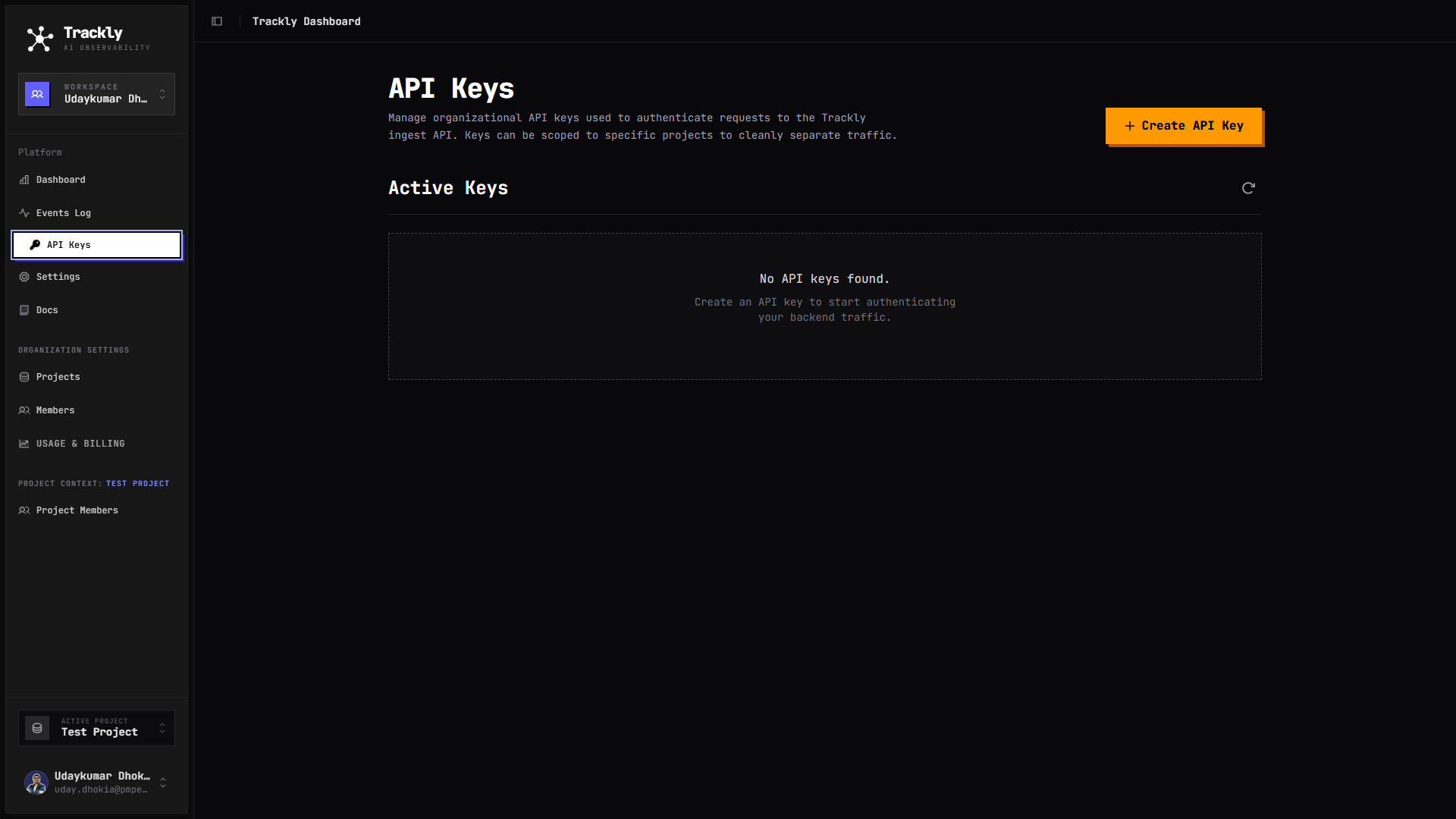
Navigate to API Keys from the sidebar. You'll need a key to authenticate your SDK calls from your codebase.
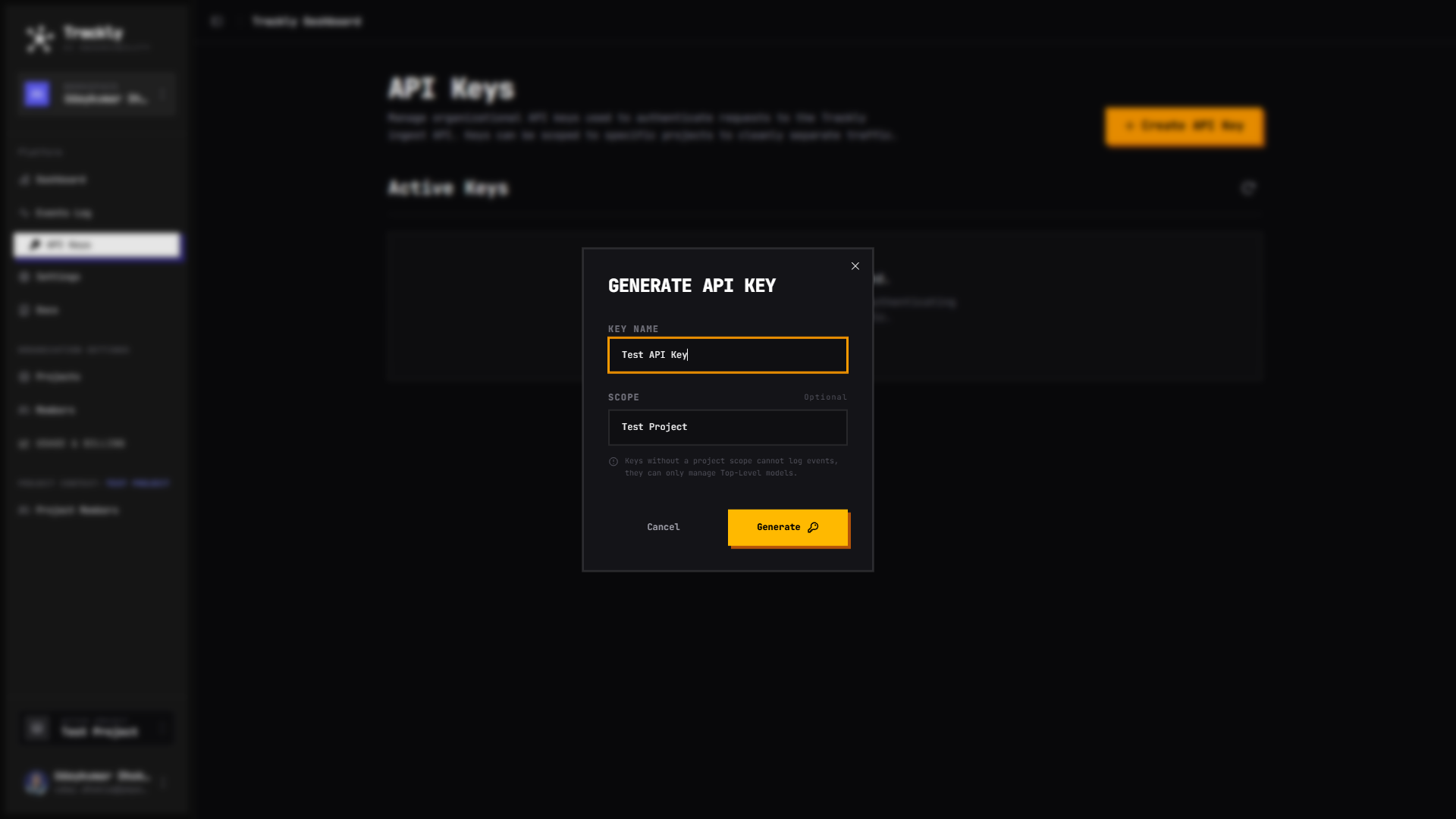
Generate an API Key
Generate an API Key
Click "+ Create API Key", give it a descriptive name, and optionally scope it to a specific project for tighter access control.
Copy your API Key & start tracking
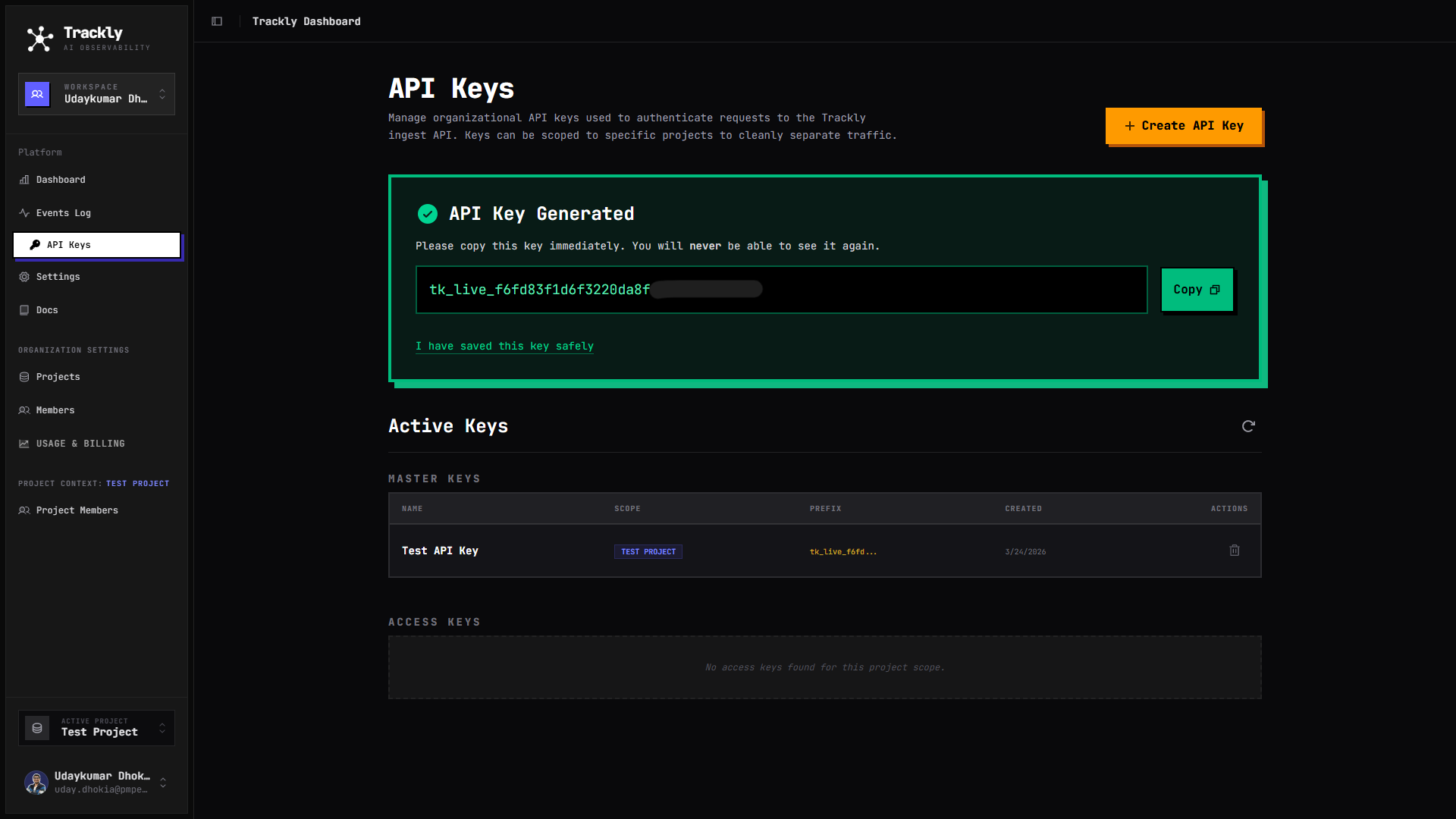
Copy your API Key & start tracking
Your key is generated! Copy it immediately — you won't be able to see it again. Drop it into your environment variables and start tracking.
Simple, transparent pricing
Start free. Scale when you're ready. No hidden fees — just raw performance and deep insights.
Starter
For side projects and experiments.
- 3 Projects
- 7-day data retention
- Basic insights
- Community support
Need more? Contact us for enterprise pricing

Udaykumar Dhokia
Builder of Trackly · Software Developer
Trackly was built out of a real frustration. While working on agentic AI projects, I had no simple way to know how much each feature was costing me — especially when using Groq or Ollama where model names give no hint about the host platform.
I'm a Computer Engineering student from Ahmedabad with a focus on Full Stack Development, Agentic AI, and applied AI systems — RAG, vector search, and LLM tooling.
Got questions?
Let's talk.
Whether it's a bug, a feature request, a partnership idea, or just curiosity about how Trackly works — drop a message and I'll get back to you.